> For the complete documentation index, see [llms.txt](https://fullstackindie.gitbook.io/easy-code-for-vivox/llms.txt). Markdown versions of documentation pages are available by appending `.md` to page URLs; this page is available as [Markdown](https://fullstackindie.gitbook.io/easy-code-for-vivox/related-info/how-to-set-ios-info.plist-for-unity.md).
# How to set iOS Info.plist for Unity?
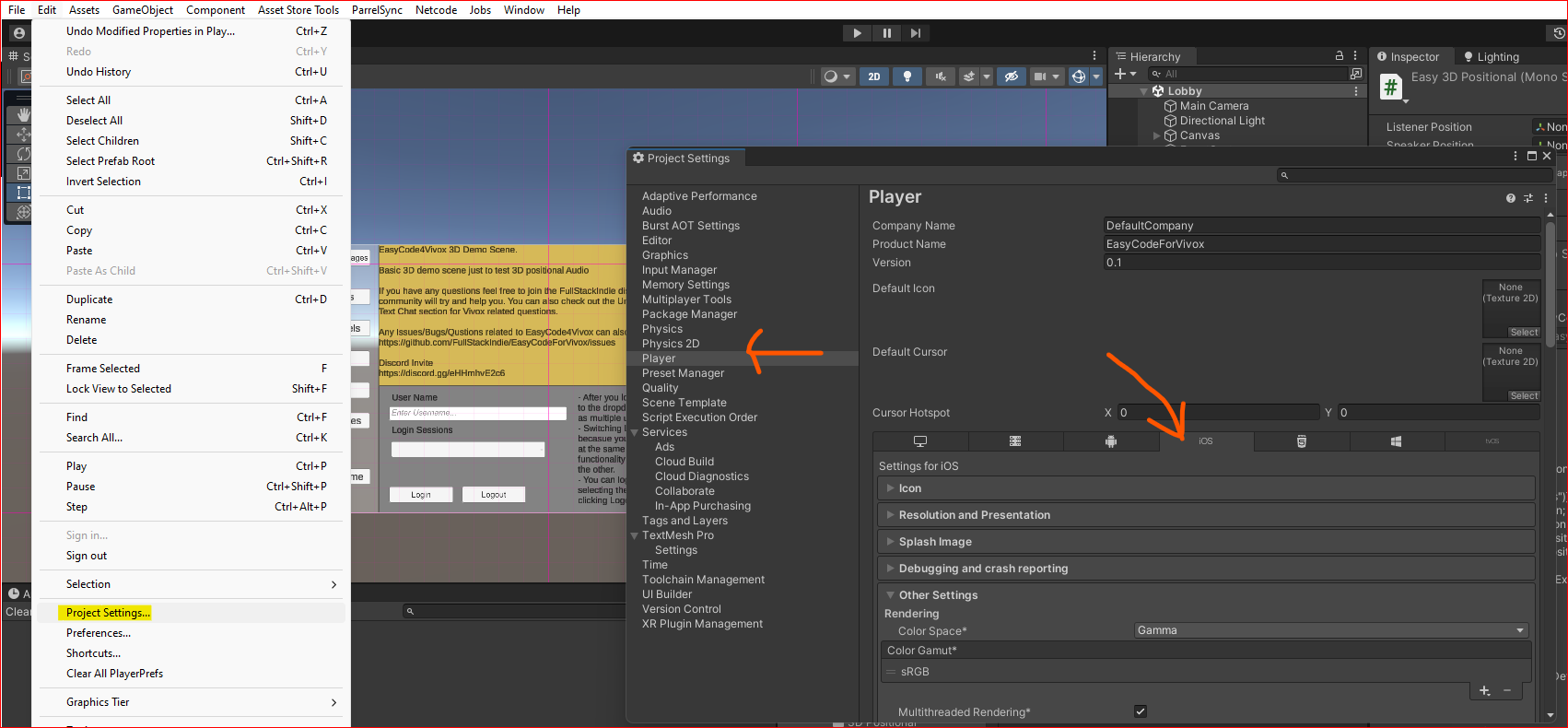
In order to access Microphone on **iOS** you need to edit **Info.plist**. Unity provides easy access in the **Player Settings**
## Unity iOS Info.plist
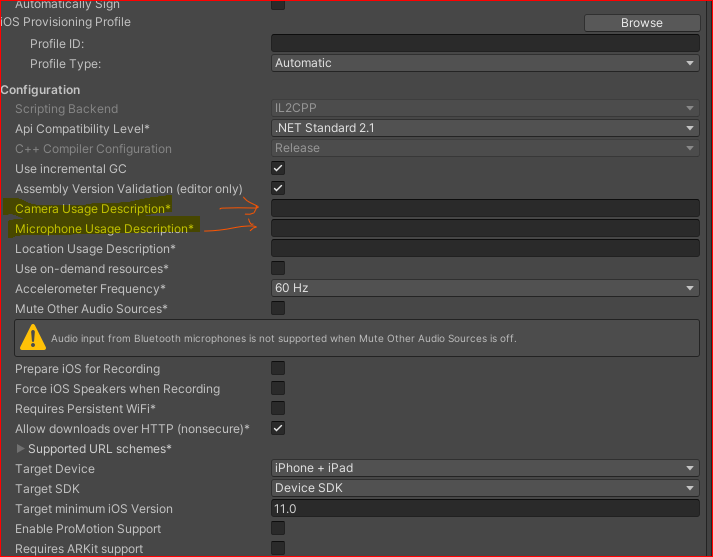
* To set **`NSCameraUsageDescription`** for the **Info.plist** make sure there is valid description of your use case in the **Camera Usage Description** in the **iOS settings**
* To set **`NSMicrophoneUsageDescription`** for the **Info.plist** make sure there is valid description of your use case in the **Microphone Usage Description** in the **iOS settings**